# Flutter AI 最佳实践
> 了解如何使用护栏构建 AI 驱动的 Flutter 应用,以验证并纠正 AI 生成的数据。
Flutter and AI go well together on multiple levels. If you're using AI to
generate Flutter code, you only have to generate the code for a single app to
target multiple platforms. And if you're harnessing Gemini to implement features
in your app, the Firebase AI Logic SDK makes that simple, with an easy-to-use
API, and secure, by keeping the API keys out of your code.
Flutter 与 AI 在多个层面都能很好地配合。
如果你用 AI 生成 Flutter 代码,只需为单个应用生成一次代码,即可面向多个平台。
如果你借助 Gemini 在应用中实现功能,
Firebase AI Logic SDK 会让这一切变得简单:
API 易用,且通过将 API 密钥排除在代码之外来保证安全。
If you're new to AI for either of these two use cases, you should know: as good
as it is (and the Gemini 3 Pro Preview is *very* good), AI still makes mistakes.
If you're using AI to write your code, then you can use guardrails to keep AI on
track using tools like the Flutter analyzer and unit tests.
如果你对这两种用例中的 AI 还不熟悉,
需要知道:尽管 AI 已经很强(Gemini 3 Pro Preview **非常** 出色),它仍会犯错。
如果你用 AI 写代码,可以用 Flutter 分析器和单元测试等工具建立护栏,让 AI 保持在正轨上。
But what do you do when you're using AI to implement the features in your app,
knowing that sometimes it's going to get things wrong? Or, to quote a friend of
mine:
但当你用 AI 实现应用中的功能,并且知道它有时会出错时,你该怎么办?
用我一位朋友的话来说就是:
***Morgan's Law***
*"Eventually, due to the nature of sampling from a probability distribution,
[AI] will fail to do the thing that must be done."*
*–Brett Morgan, Flutter Developer Relations Engineer, July, 2025\.*
***Morgan 定律 (Morgan's Law)***
*「最终,由于从概率分布中采样的本质,[AI] 会无法完成必须完成的事情。」*
*—— Brett Morgan,Flutter 开发者关系工程师,2025 年 7 月*
The good news is that, just as you can use developer tools to build guardrails
around the AI writing your code, you can use Flutter to build guardrails around
the AI you use to implement your features. The [Crossword Companion
app][crossword-app] was built to demonstrate these techniques.
好消息是,就像你可以用开发者工具为写代码的 AI 建立护栏一样,
你也可以用 Flutter 为实现功能的 AI 建立护栏。
[Crossword Companion 应用][crossword-app] 就是为了演示这些技术而构建的。
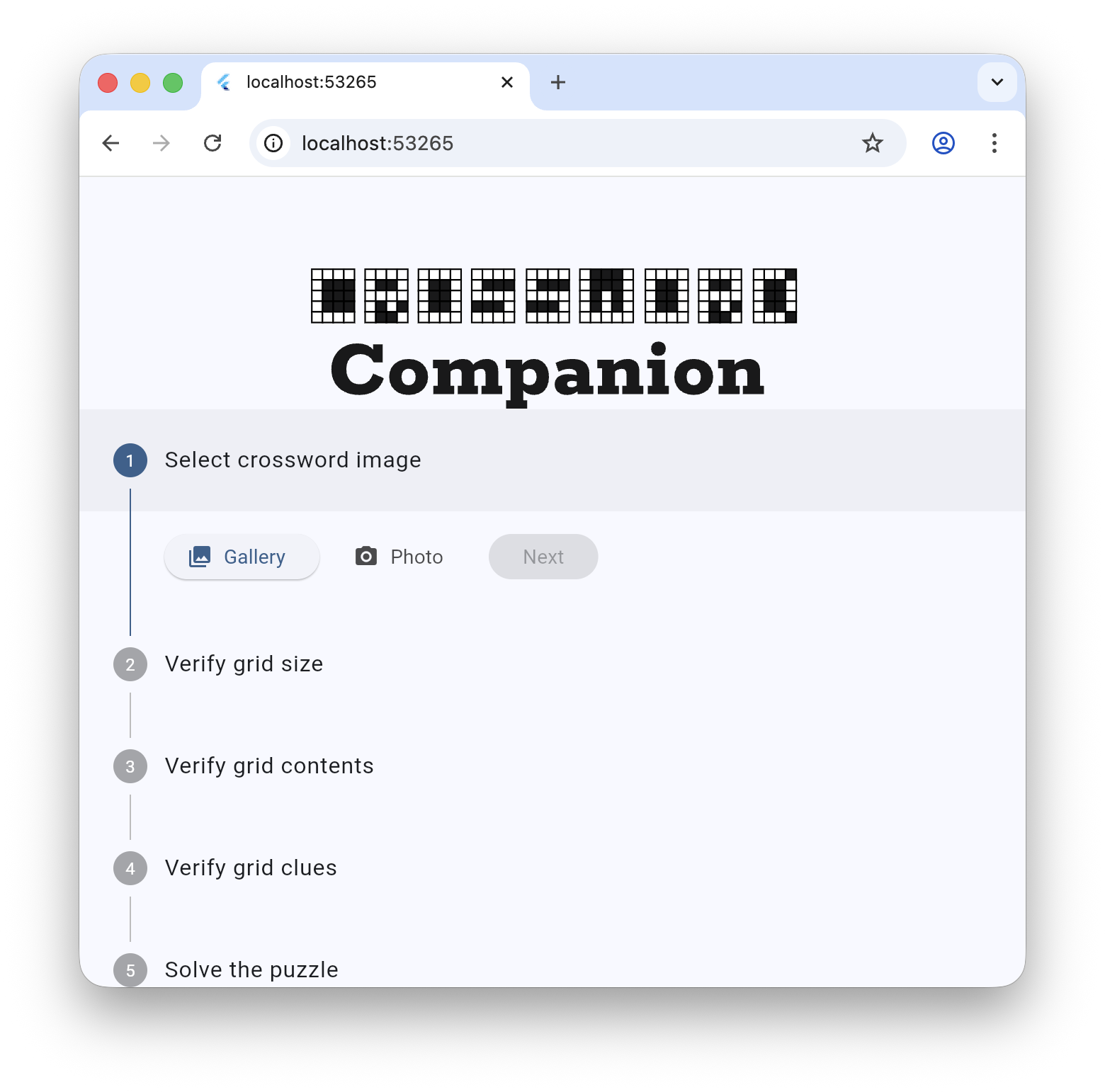 The goal of the Crossword Companion app is not to help you cheat at
mini-crosswords – although it's darn good at that – but to illustrate how to
channel the power of AI using Flutter. As an example, the first thing you do
when running the app is upload the screenshot of a mini-crossword puzzle. When
you press the **Next** button, the AI uses that image to infer the size,
contents and clues of the puzzle:
Crossword Companion 应用的目标不是帮你在迷你填字游戏中作弊——
尽管它确实很擅长——
而是说明如何用 Flutter 驾驭 AI 的力量。
例如,运行应用时你首先要上传迷你填字游戏谜题的截图。
按下 **Next** 按钮后,AI 会根据该图像推断谜题的尺寸、内容和线索:
The goal of the Crossword Companion app is not to help you cheat at
mini-crosswords – although it's darn good at that – but to illustrate how to
channel the power of AI using Flutter. As an example, the first thing you do
when running the app is upload the screenshot of a mini-crossword puzzle. When
you press the **Next** button, the AI uses that image to infer the size,
contents and clues of the puzzle:
Crossword Companion 应用的目标不是帮你在迷你填字游戏中作弊——
尽管它确实很擅长——
而是说明如何用 Flutter 驾驭 AI 的力量。
例如,运行应用时你首先要上传迷你填字游戏谜题的截图。
按下 **Next** 按钮后,AI 会根据该图像推断谜题的尺寸、内容和线索:
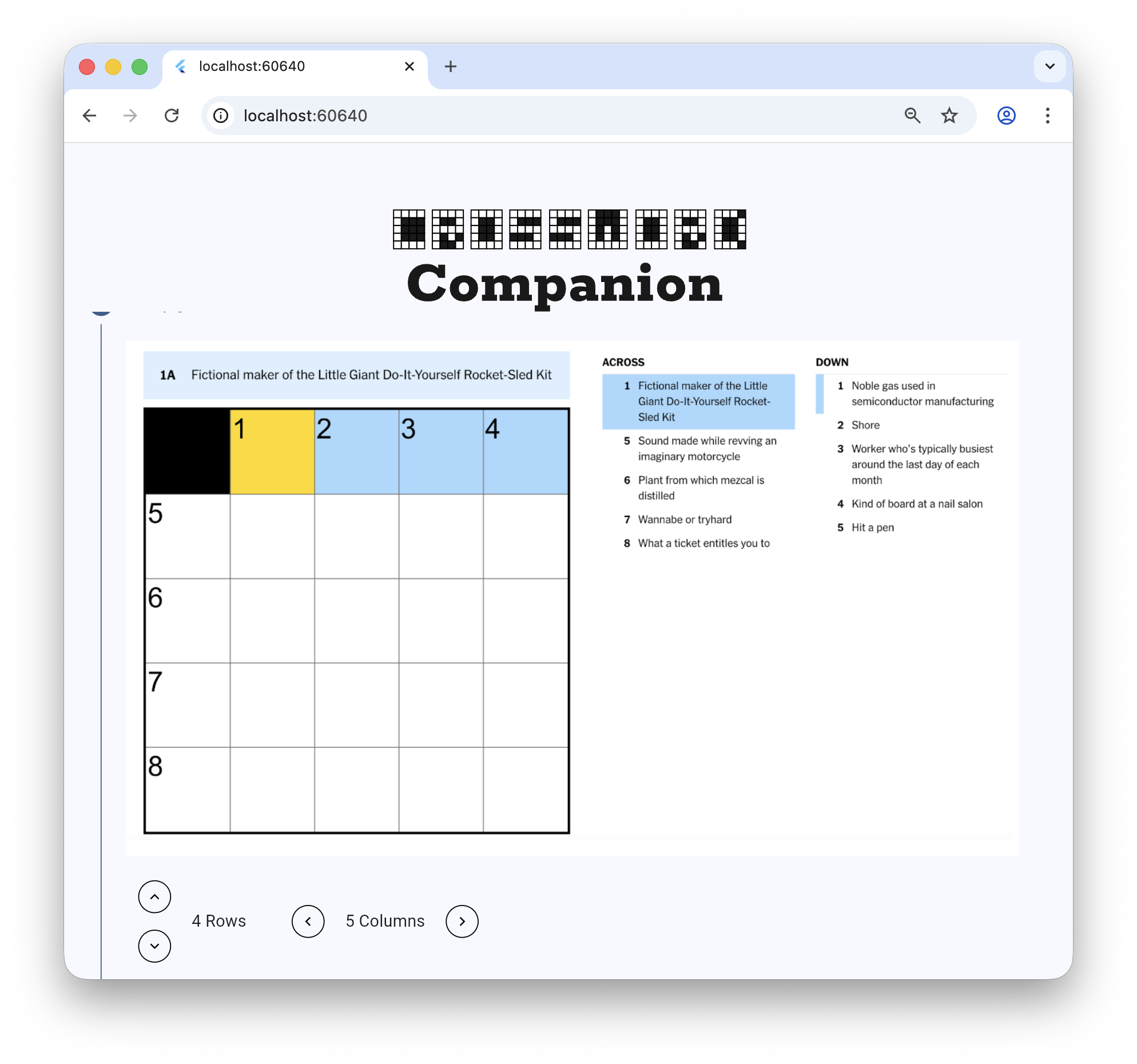 Notice that while the crossword puzzle is a 5x5 grid, the AI says it's 4x5.
Because we know that mistakes happen (apparently AIs are only human, too), we
built the app to allow the user to verify and correct the AI-generated data.
That's important; bad data leads to bad results.
请注意,虽然填字游戏是 5×5 网格,AI 却说是 4×5。
因为我们知道错误会发生(显然 AI 也只是“人类”),
我们让应用允许用户验证并纠正 AI 生成的数据。
这很重要;坏数据会导致坏结果。
So this write-up is not about the app in detail but rather about the best
practices to use when you're building your own AI apps with Flutter. So let's
get to it!
因此,本文不会详细介绍该应用,而是介绍你用 Flutter 构建自己的 AI 应用时应遵循的最佳实践。
那就开始吧!
[crossword-app]: https://github.com/flutter/demos/tree/main/crossword_companion
Notice that while the crossword puzzle is a 5x5 grid, the AI says it's 4x5.
Because we know that mistakes happen (apparently AIs are only human, too), we
built the app to allow the user to verify and correct the AI-generated data.
That's important; bad data leads to bad results.
请注意,虽然填字游戏是 5×5 网格,AI 却说是 4×5。
因为我们知道错误会发生(显然 AI 也只是“人类”),
我们让应用允许用户验证并纠正 AI 生成的数据。
这很重要;坏数据会导致坏结果。
So this write-up is not about the app in detail but rather about the best
practices to use when you're building your own AI apps with Flutter. So let's
get to it!
因此,本文不会详细介绍该应用,而是介绍你用 Flutter 构建自己的 AI 应用时应遵循的最佳实践。
那就开始吧!
[crossword-app]: https://github.com/flutter/demos/tree/main/crossword_companion